
Mofo RC
Mofo RC | The RockWolf (SJTA32) - 32 Bit Brushless/Brushed Mini Crawler ESC
Mofo RC | The RockWolf (SJTA32) - 32 Bit Brushless/Brushed Mini Crawler ESC
Couldn't load pickup availability
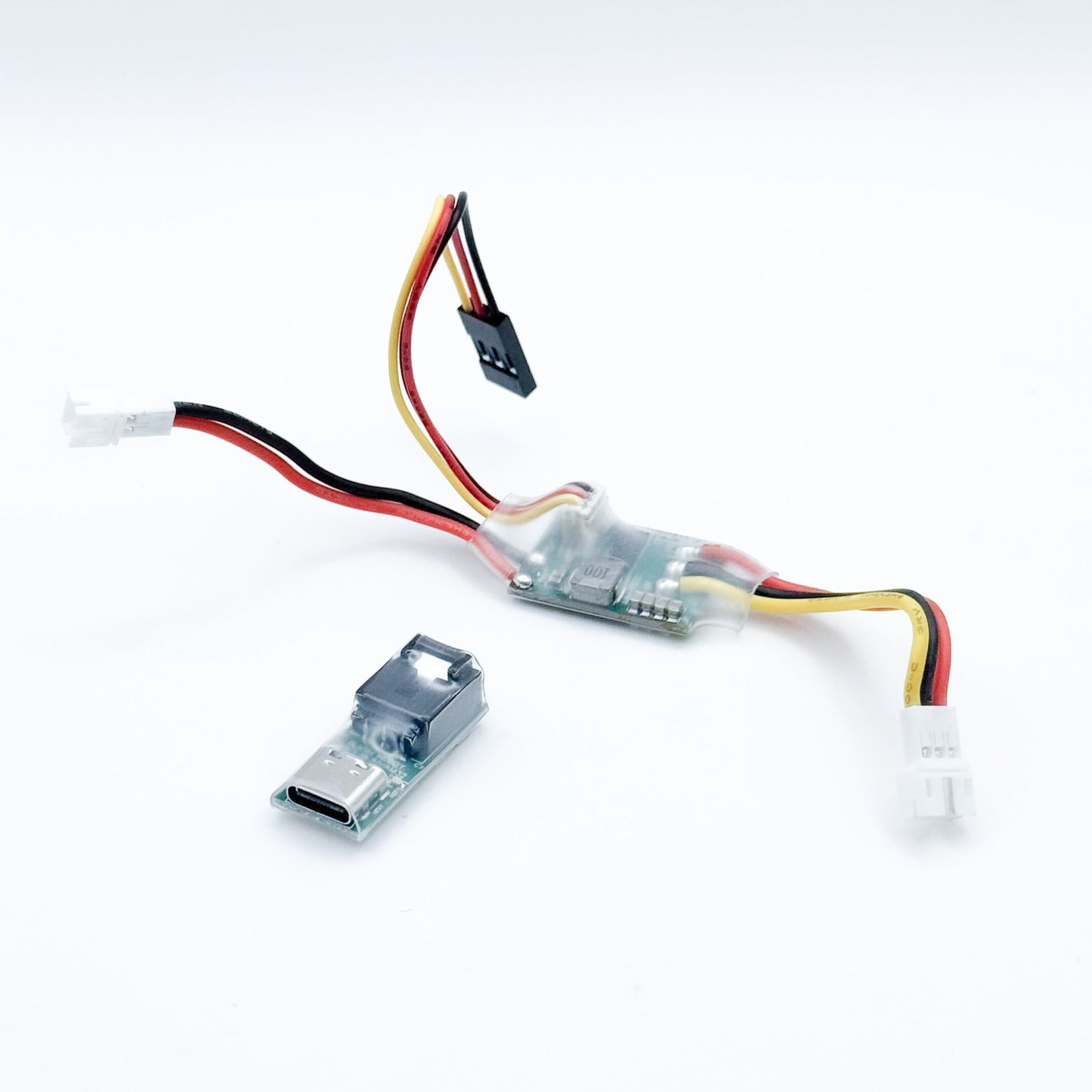
The RockWolf is a compact 32-bit brushless/brushed mini crawler ESC built on the AM32 platform. Measuring just 27mm × 17mm × 8mm and weighing 5g, it delivers smooth low-speed control and quiet operation with PC tuning capability. This is a great budget-friendly option for our brushed motors, NanoBAM, NanoBeast, and SMP motors. For the absolute best low speed control on all our motors, easier tuning via phone, and an adjustable BEC, check out our Reaper 30A ESCape 32 ESC.
Features:
- AM32 Based
- Dual-mode operation: pre-programmed brushless or brushed (selectable at checkout)
- 20A continuous / 25A burst current
- 2S–4S LiPo
- Built-in 7.5V/3A BEC for servo power
- Conformal coating for water resistance
- Sinusoidal startup for smooth throttle response
- Included USB Type-C programmer for field configuration via PC
- Dimension: 27mm x 17mm x 8mm
- Weight: 5g
Setup & Configuration: Your ESC ships pre-programmed in your selected mode with low-voltage cutoff set to 3.3V per cell. Use the included programmer and the Multi Config Tool (emailed after fulfillment) to adjust motor parameters, frequency, and protection settings. For brushless motors, input pole count and KV; for brushed motors, connect the 2-wire connector to the black and yellow pins on the 3-port connector. Note: USB-C cable required for programming (not included).
Warranty: 90 days
Setup:
FOR BRUSHED MOTORS- THE 2 WIRE MOTOR CONNECTOR WILL PLUG INTO THE BLACK AND YELLOW PINS OF THE 3 PORT CONNECTOR ON THE ESC
Once you download the Multi config tool open the .zip folder, Uncompress it and the program you need to run it is called Serialportconnector, Click the box that says Direct connect, And directly below that select the port that show up you are connected to. Click connect then click M1 at the top to connect and settings will appear.
Share